Model RSU grants and vesting
Company stock can be a big part of your pay. Add restricted stock units (RSUs) as they vest so your plan includes the income, taxes, and money available to save or spend.
Add the value that vests
Go to Plan > Income > Add to Earned Income > RSU Grant. Enter the Vested Amount before taxes for one vesting event, choose the earner, and set Timing to the vest date.
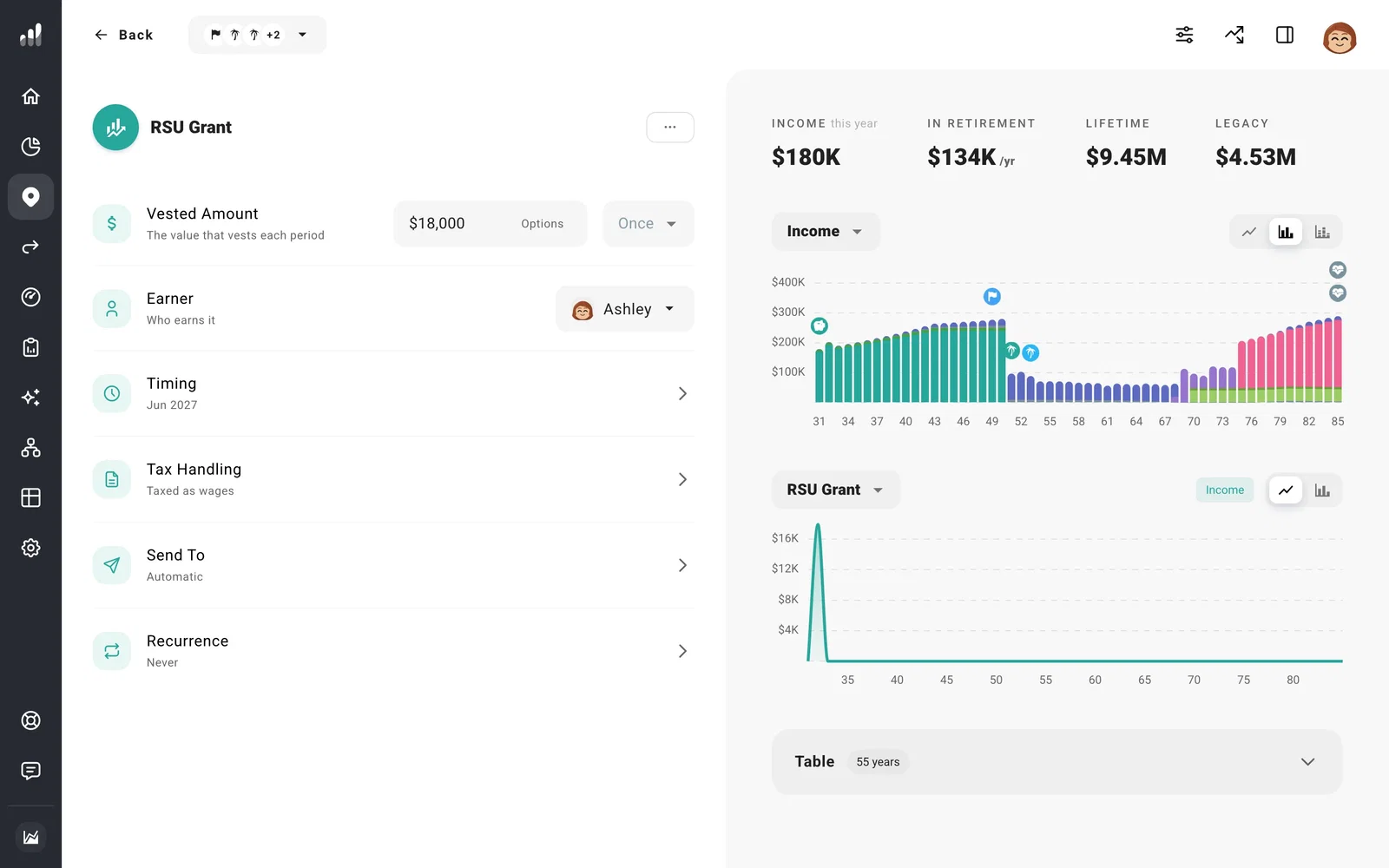
Use the value you expect to receive when the shares vest. If your grant is described as a number of shares, multiply those shares by the price you want to use for that vest.
For quarterly vesting, add separate events for the vest dates and amounts. For grants that vest annually or every few years, use Recurrence to set the interval and last vest. A cliff followed by annual vests can use one event for the cliff and another for the repeating amounts.
Include the taxes
The grant starts with wage tax treatment, so the vested value adds to your employment income. Tax withholding comes out before the remaining money is available.
Employers often withhold a flat rate on vested shares, which can be less than you’ll owe. Enter that rate in the grant’s tax settings so your plan shows the rest of the tax bill.
Spend it or keep it invested
Leave Send To on Automatic to make the proceeds available for expenses and your savings Flows. To keep the vested value invested, select a brokerage account instead. Its growth and yield settings then determine how that money grows.
If a lot of your savings is in your employer’s stock, a bad year for the company could hit your paycheck and your savings at once. Put that stock in its own investment account and use Compare to test a fall in its value alongside time out of work.
For shares you already own from earlier vests, include their current value and cost basis in an investment account on Net Worth. The cost basis lets the plan estimate gains when it withdraws from that account.
