Plan a Mega Backdoor Roth contribution
A Mega Backdoor Roth lets you save more in Roth through your workplace plan, beyond your regular retirement contributions. Your employer’s plan needs to allow after-tax contributions and a way to move them into Roth, either within the plan or into a Roth IRA.
Make room after your regular contributions
Start by adding your retirement contributions, including what your employer adds. These use part of the workplace plan’s total contribution allowance. The Mega Backdoor Roth can fill the space left over.
Go to Plan > Flows and add a Flow for a Roth 401(k) or Roth 403(b). In Goal, choose Contribution Type > Mega Backdoor Roth and select the salary it comes from under Source. Choose the owner with that workplace plan.
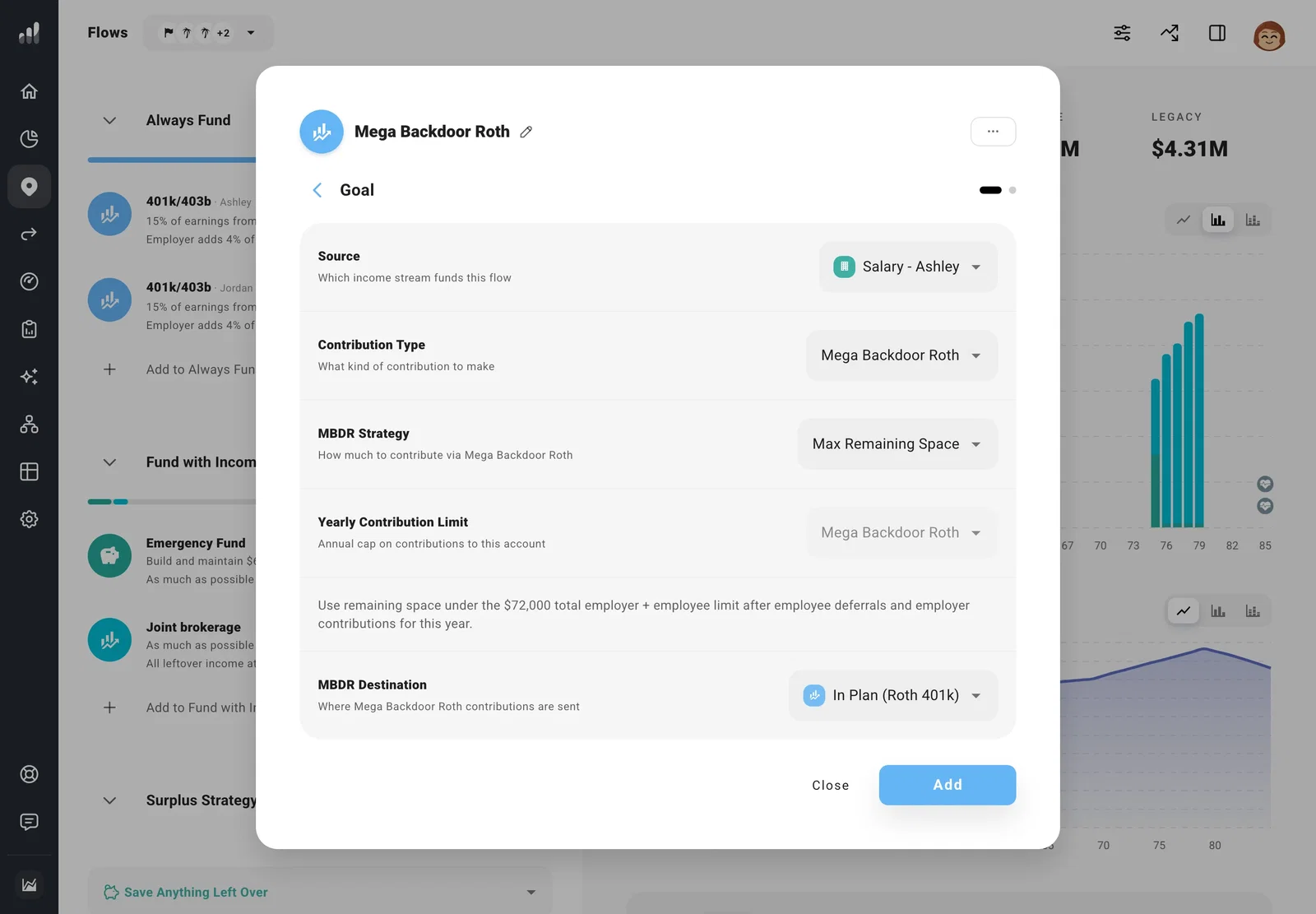
Choose Max Remaining Space under MBDR Strategy to fill the available room after regular contributions and the employer match. For a smaller contribution, choose % of Income or Specific Amount.
Choose where the money goes
Under MBDR Destination, choose In Plan (Roth 401k) if the money stays in the workplace plan. Otherwise, choose the Roth IRA that will receive it. The destination account must belong to the same person.
Keep the regular workplace contribution ahead of this Flow so those contributions and the match are counted first. See Flow order to arrange them. These are after-tax savings, so they come from your take-home money.
To keep contributing even in a year when income is short, choose Always Fund. Other eligible accounts can cover the gap.
Next: Plan Roth conversions
